Wilmington Trust / Wealth Management
Giving Clients Control Over Their Financial Accounts
Designing a flexible account-grouping experience that gives wealth-management clients greater control over how they organize and manage their financial accounts.
The vision
A More Personalized Wealth-Management Experience
Managing wealth often involves multiple financial accounts, each serving a different purpose.
While clients could access their financial information, the experience offered limited flexibility in how accounts were organized.
The opportunity was to introduce a more personalized account-management experience that gave clients control over how their financial relationships were presented.
Give clients the flexibility to organize their financial accounts in ways that make sense to them.
The problem
Clients Couldn’t Organize Accounts Around Their Needs
Client feedback and user research identified a gap in the existing wealth-management experience.
Clients managing multiple financial accounts lacked the ability to create custom account groupings.
Without this functionality, they were limited to the account organization provided by the application.
The challenge was to introduce flexible account organization while maintaining clarity within an already complex financial interface.
Understanding users
Turning Client Feedback Into a Product Opportunity
Client feedback and research established the need for greater flexibility in how accounts were organized.
Three design objectives helped guide the proposed experience.
Objective 01
Flexibility
Allow clients to create and manage account groups that reflect their individual needs.
Objective 02
Clarity
Maintain a clear distinction between individual accounts and custom groups.
Objective 03
Confidence
Provide understandable interactions, validation, and feedback throughout account-management tasks.
Defining the experience
From Account Lists to Personalized Organization
The new feature needed to support the complete account-grouping workflow without requiring clients to navigate between disconnected experiences.
The proposed workflow brought group creation, account selection, and account management into a more cohesive experience.
Step 01 of 07
View accounts
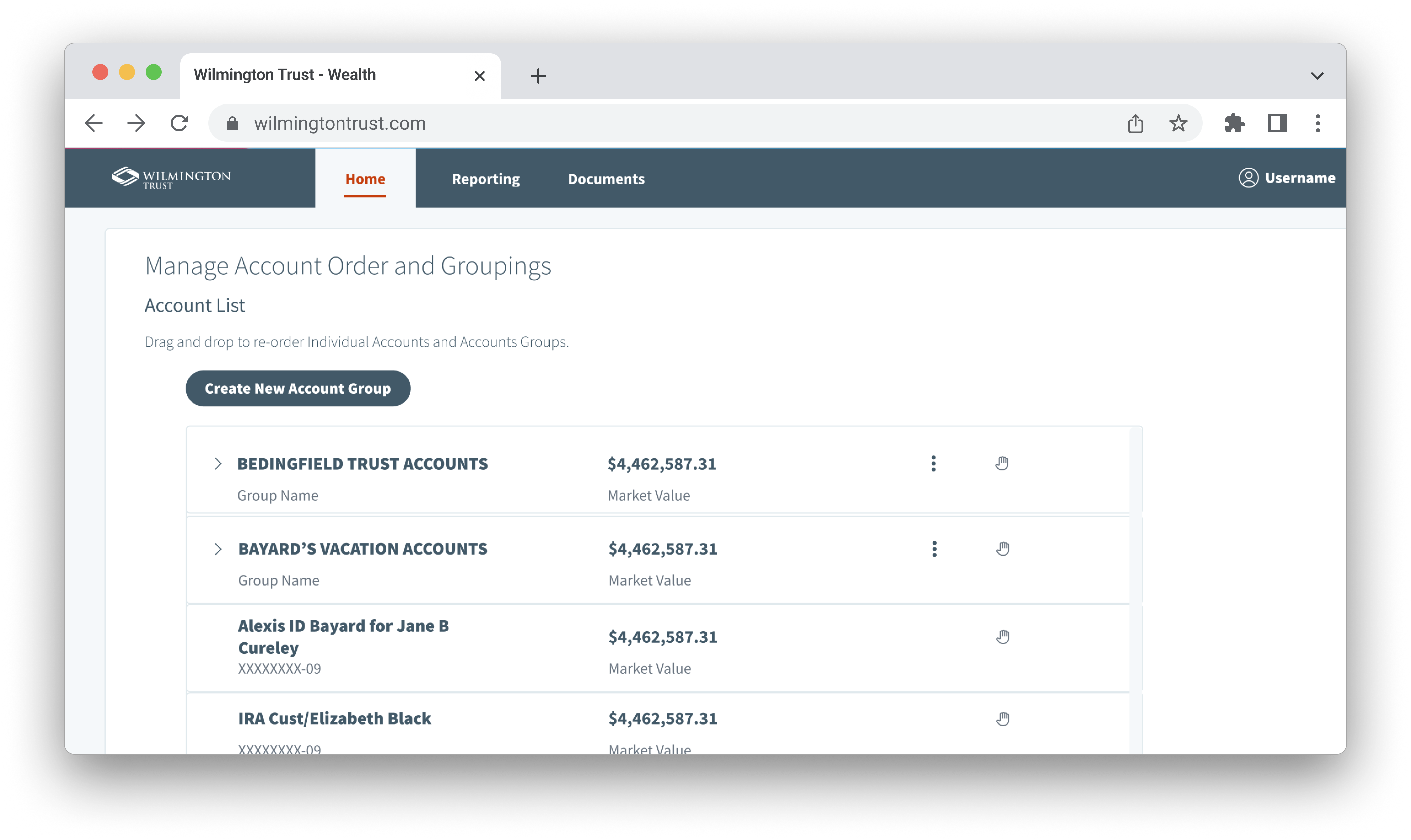
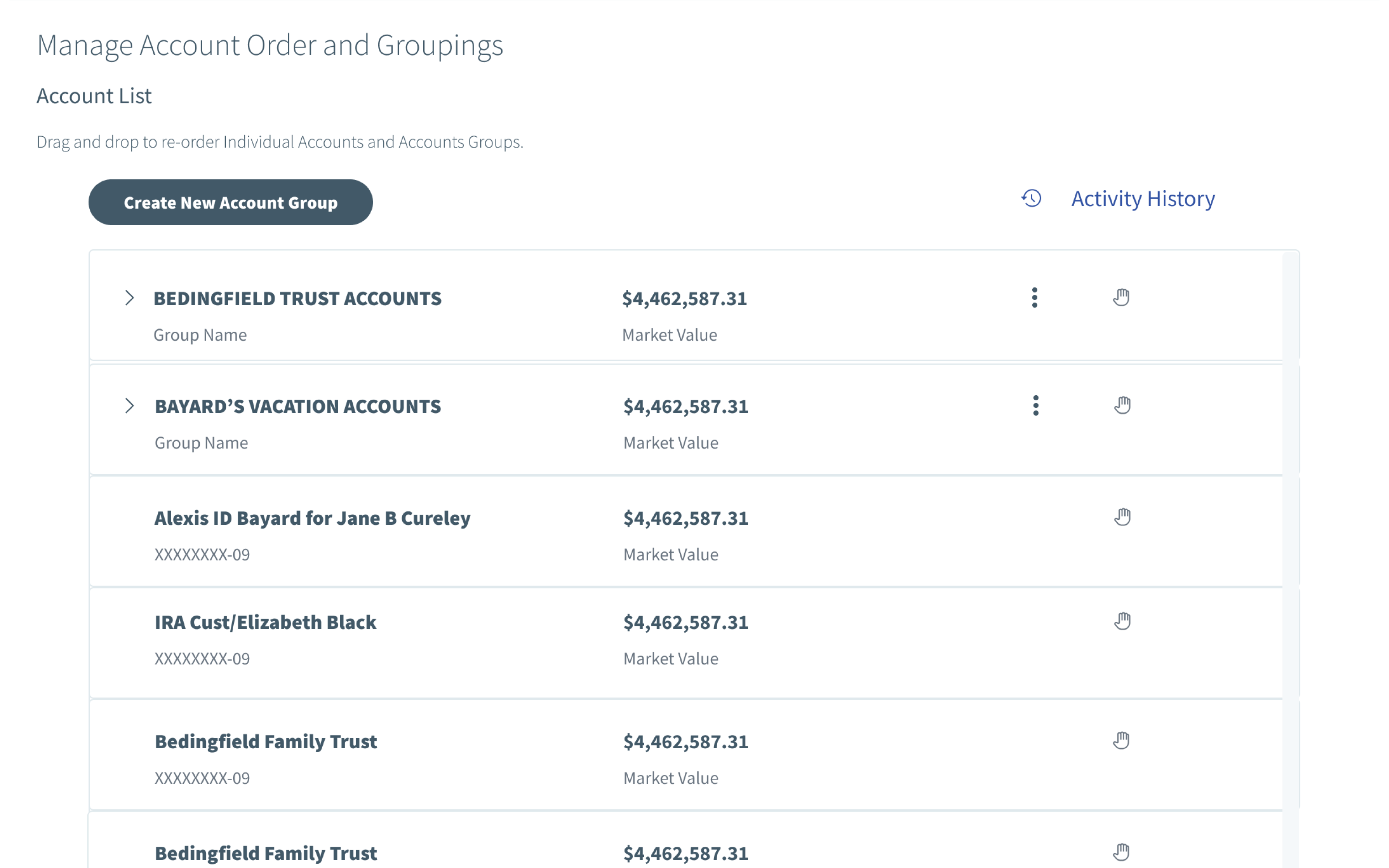
Clients start from the account list, where existing groups and individual accounts appear together with their market values.
See the account listStep 02 of 07
Create a group
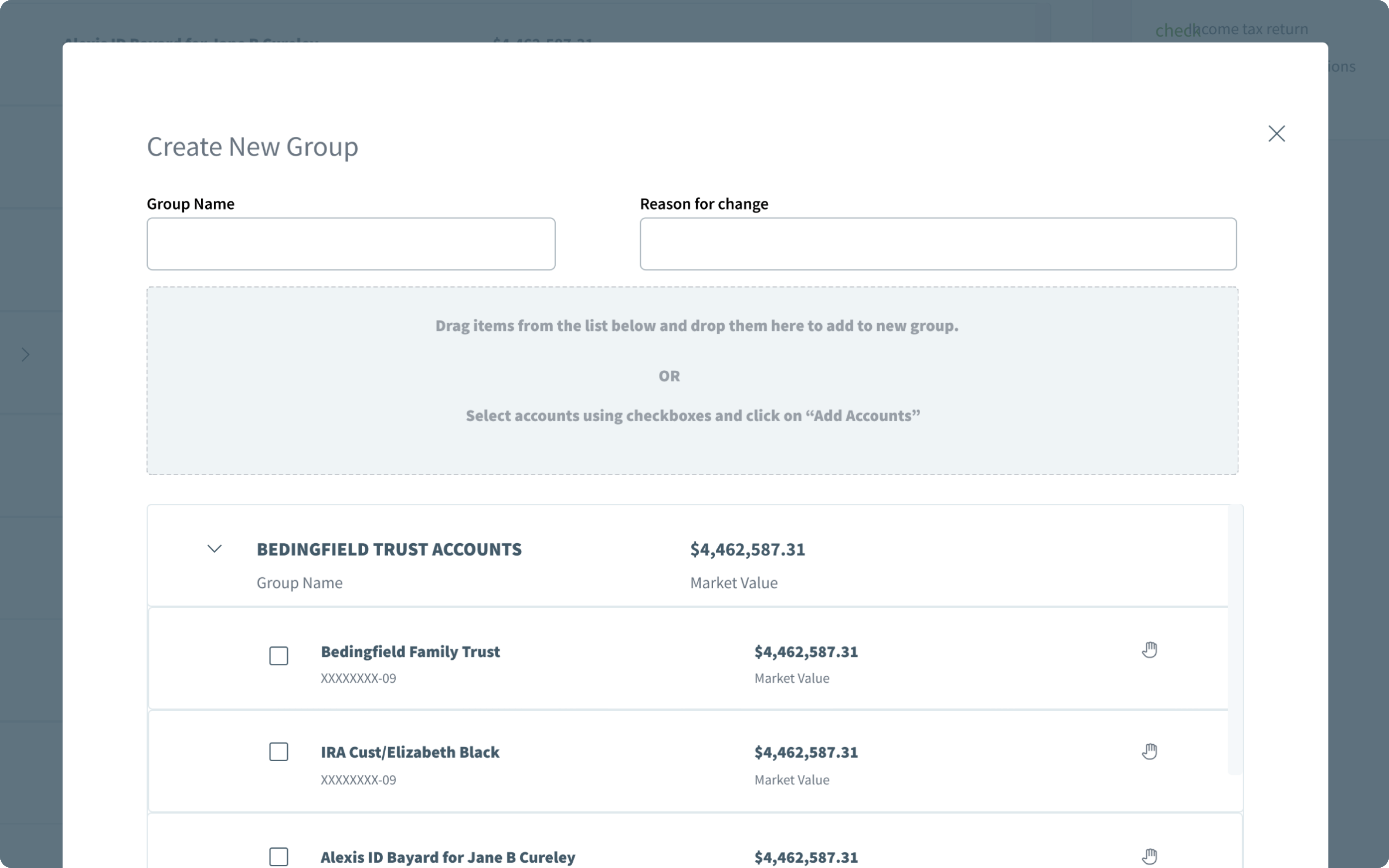
A Create New Account Group action on the account list opens group creation without leaving the experience.
See group creationStep 03 of 07
Name the group
Clients give the new group a name that reflects how they think about those accounts.
See group creationStep 04 of 07
Select accounts
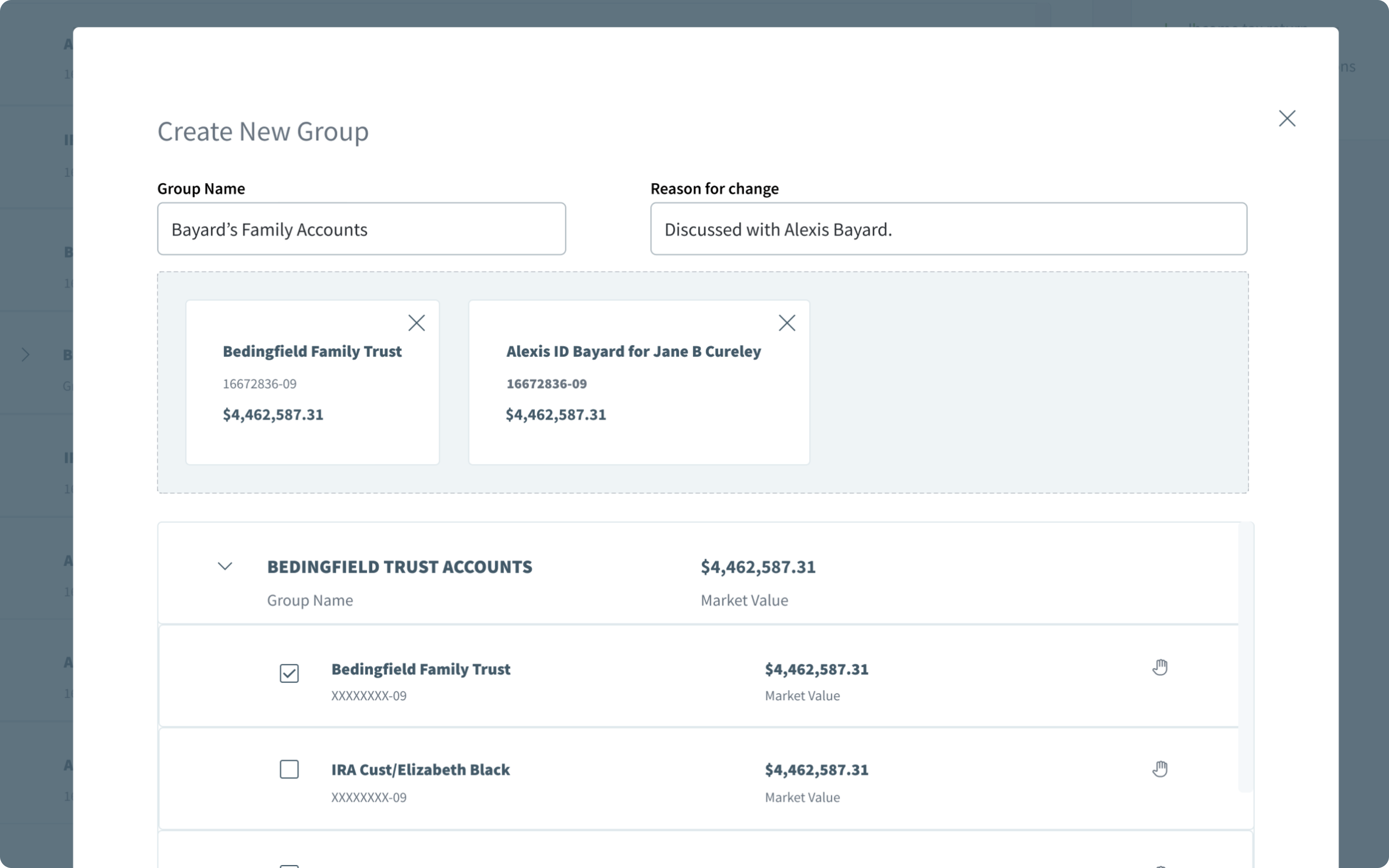
Accounts can be dragged into the selection area or chosen with checkboxes, two ways to complete the same task.
See both selection methodsStep 05 of 07
Review selections
Selected accounts appear in a dedicated review area, where each can be removed before the group is saved.
See the review areaStep 06 of 07
Save the group
Saving adds the new group to the account list alongside the client’s other groups and accounts.
Step 07 of 07
Manage the hierarchy
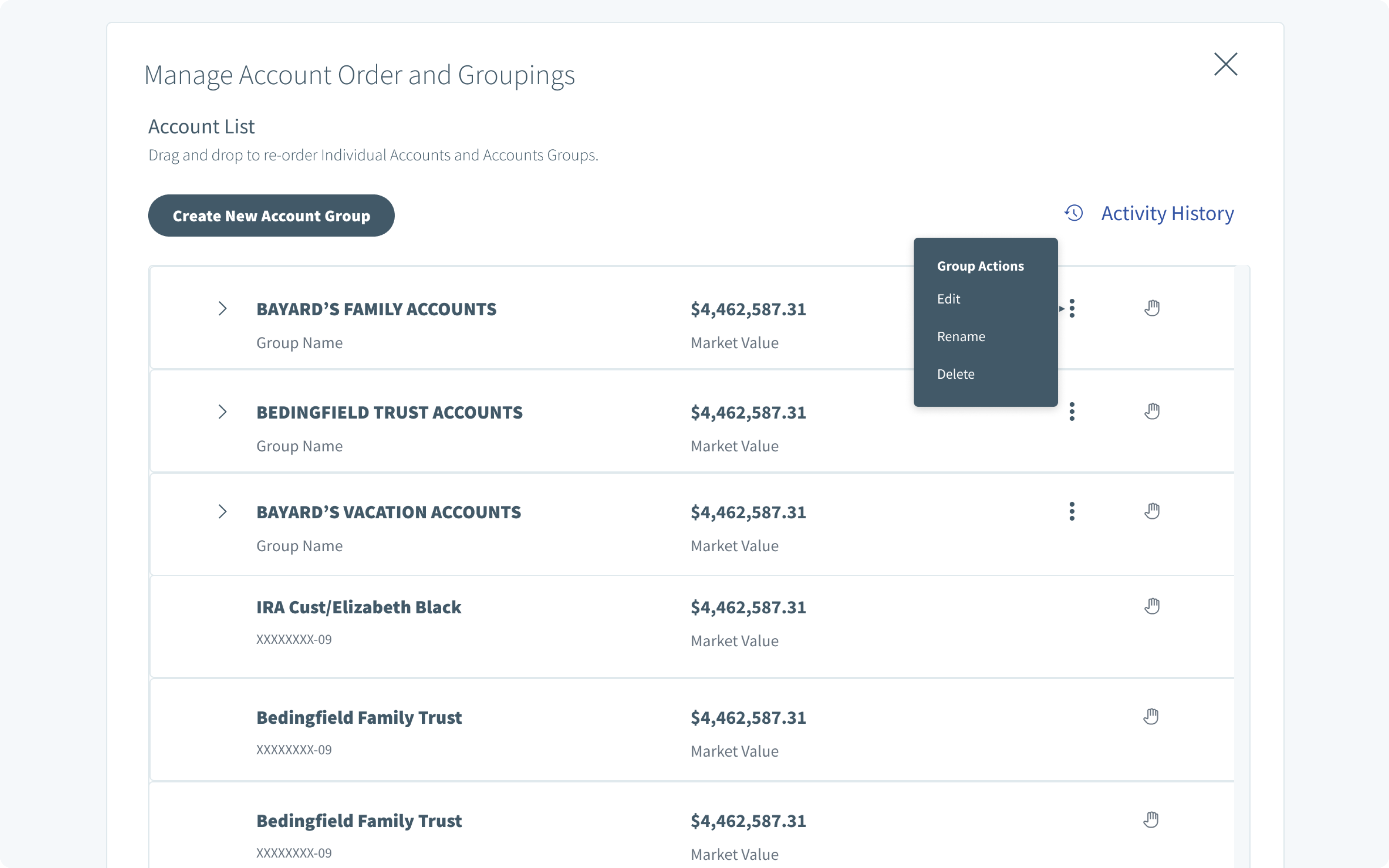
From the account list, groups can be expanded, reordered, edited, renamed, or deleted.
See group managementDesign decision 01
Making Complex Account Hierarchies Easier to Manage
Introducing custom groups required the interface to distinguish between individual accounts and collections of related accounts.
The design uses expandable groups, indentation, account labels, market values, and contextual actions to communicate those relationships.
Users can view the account hierarchy while retaining important financial context.
Design rationale
The interface needed to introduce organizational flexibility without making financial information harder to understand.
Custom groups are shown as collapsible rows, so clients can scan their groups first and expand one to see the accounts inside.
Accounts that are not in a group keep their own rows, labeled with the account name and a masked account number to separate them from groups.
Every row, group or account, keeps its market value in a consistent column, so the financial context stays visible while clients reorganize.
A drag handle on each row supports re-ordering both individual accounts and account groups, as the page instructions describe.
An overflow menu appears only on group rows, keeping group-specific actions next to the group they affect.
Design decision 02
Giving Clients More Than One Way to Organize Accounts
The group-creation experience supports two approaches to account selection.
Clients can drag accounts into the group-selection area or select accounts using checkboxes.
These interactions provide different ways to complete the same task.
The selected accounts are displayed in a dedicated review area before the group is saved.
Design rationale
Providing explicit selection controls alongside direct manipulation can improve discoverability and reduce reliance on drag-and-drop interactions.
Design decision 03
Keeping Account Management Predictable
Once groups are created, clients need a straightforward way to maintain them.
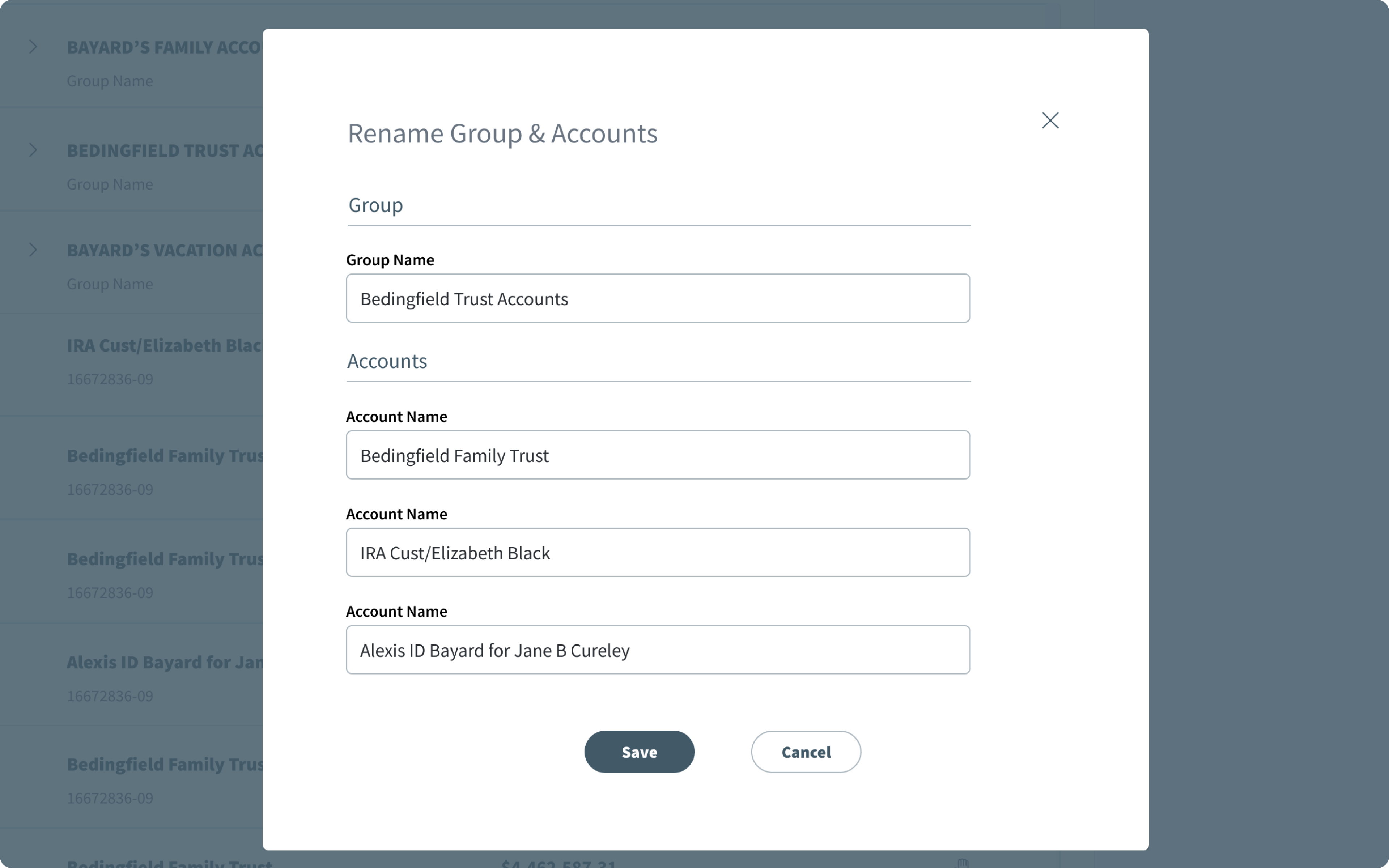
The proposed experience introduces contextual actions for editing, renaming, and deleting account groups.
Dedicated forms allow clients to update group names and related account labels.
Design rationale
Grouping-related actions should remain discoverable and consistent without overwhelming the primary account list.
Design decision 04
Building Confidence Through Clear Feedback
Financial account-management interactions require clear communication when users make changes.
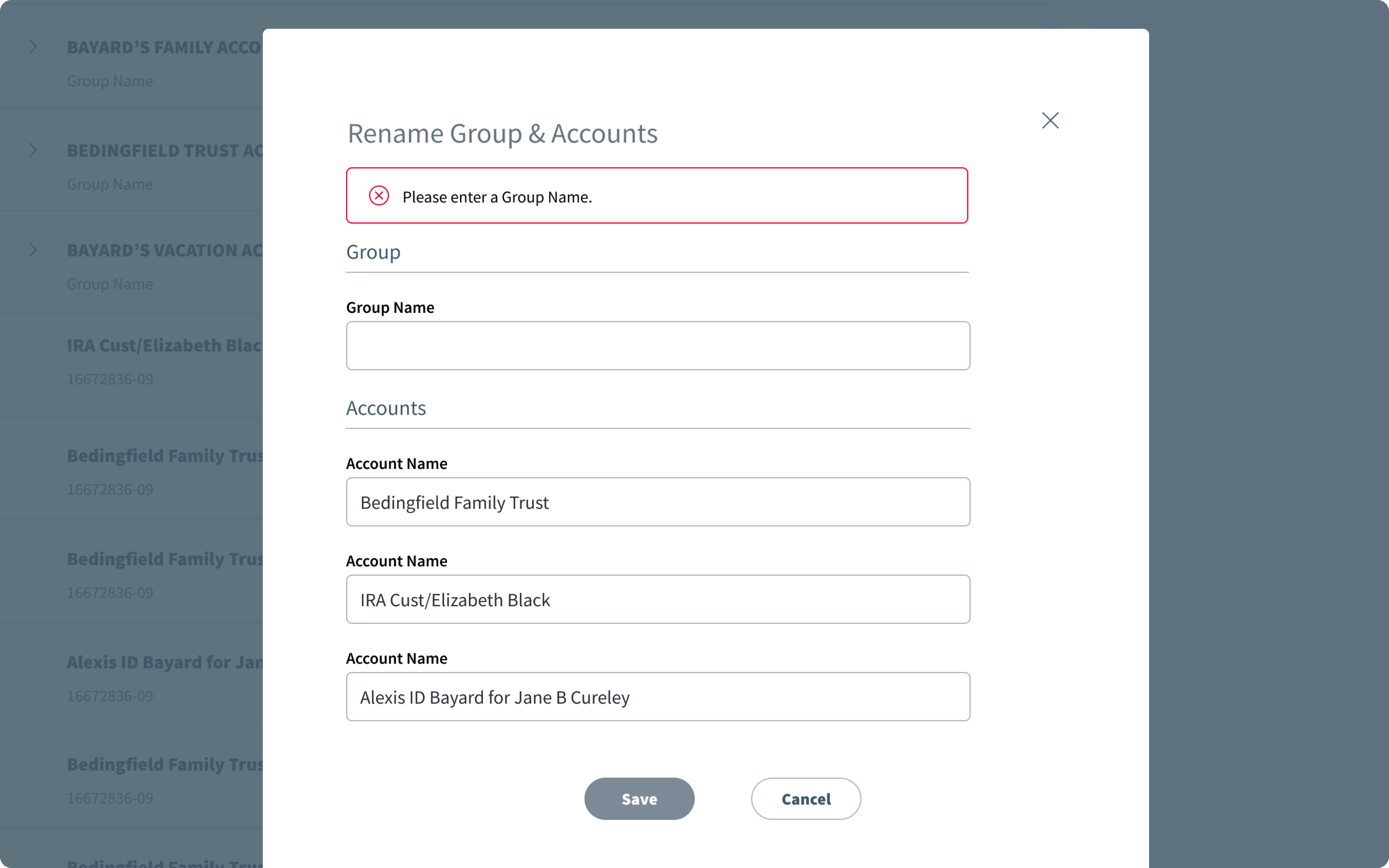
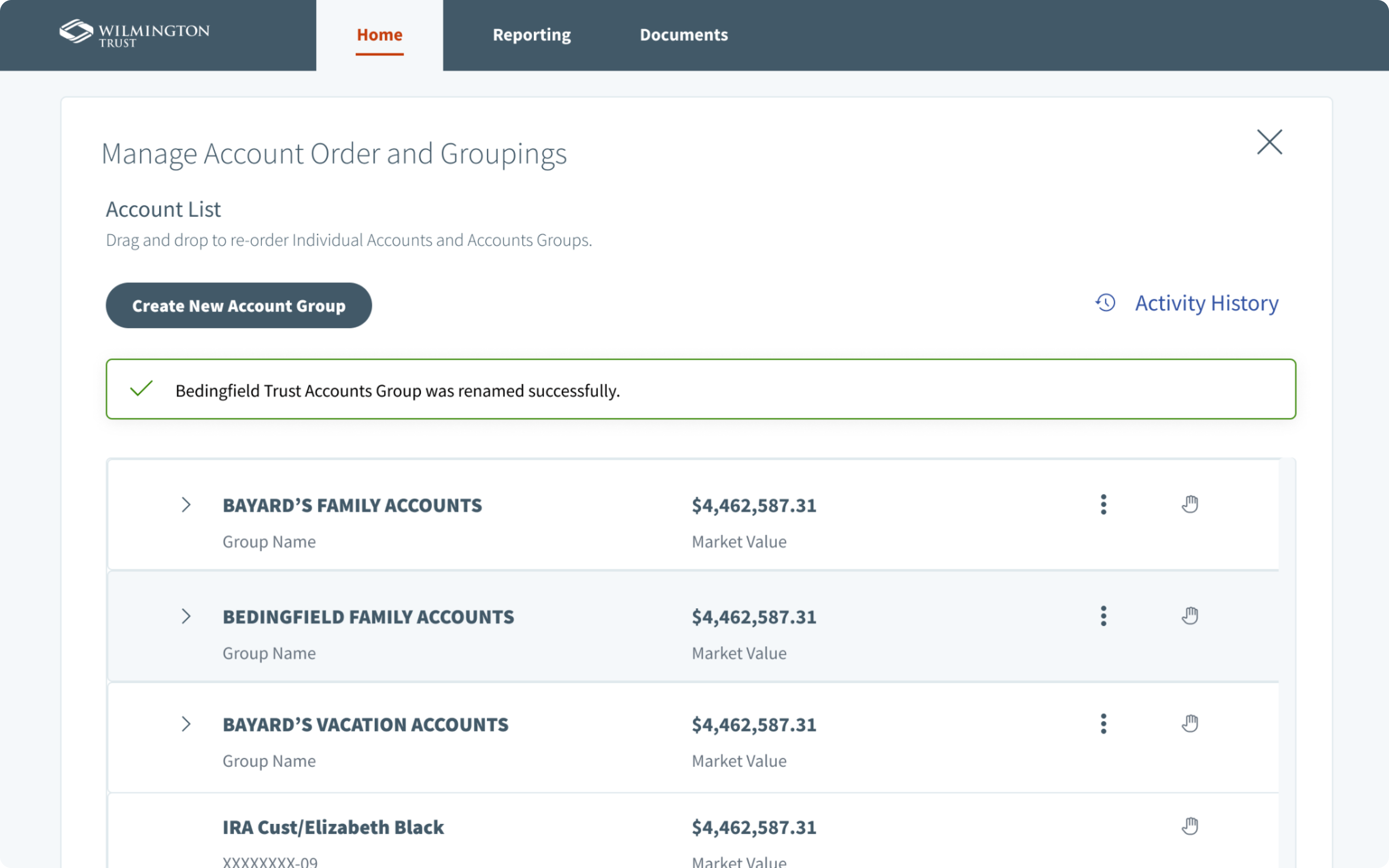
The designs include required-field validation, Save and Cancel actions, and success confirmation messages.
These states help users understand when information is missing and whether an action has been completed.
Design rationale
Clear feedback reduces ambiguity and helps users navigate multi-step account-management workflows.
Final experience
A More Flexible Way to Manage Financial Accounts
The proposed account-grouping feature introduces a dedicated experience for organizing financial accounts. Clients can create custom groups, assign accounts, adjust account order, and manage their existing account structure.
The experience combines flexible organization with a structured financial interface.
Create
Build custom account groups.
Organize
Arrange accounts around individual needs.
Manage
Edit and maintain account relationships.
Outcomes & learnings
Personalization Should Simplify Complexity
The project explored how a new account-grouping capability could address a need identified through client feedback and research.
The intended value was to provide clients with greater control over their account organization while maintaining clarity and confidence throughout the experience.
Key learnings
Flexibility needs structure
Additional customization should not come at the expense of clarity.
Interaction details matter
Validation, confirmation, and clear action states contribute to a complete user experience.
Financial information requires context
Organizational features should preserve access to important account details.
Thoughtful product design turns complex workflows into experiences that feel intuitive, flexible, and manageable.